How To Connect Cloud Windows Server From Local Windows Machine?
You can easily connect to your Cloud Windows Server from any local Windows machine using the Remote Desktop Connection (RDP) feature. Follow this step-by-step guide to access your Windows server:
Step 1:
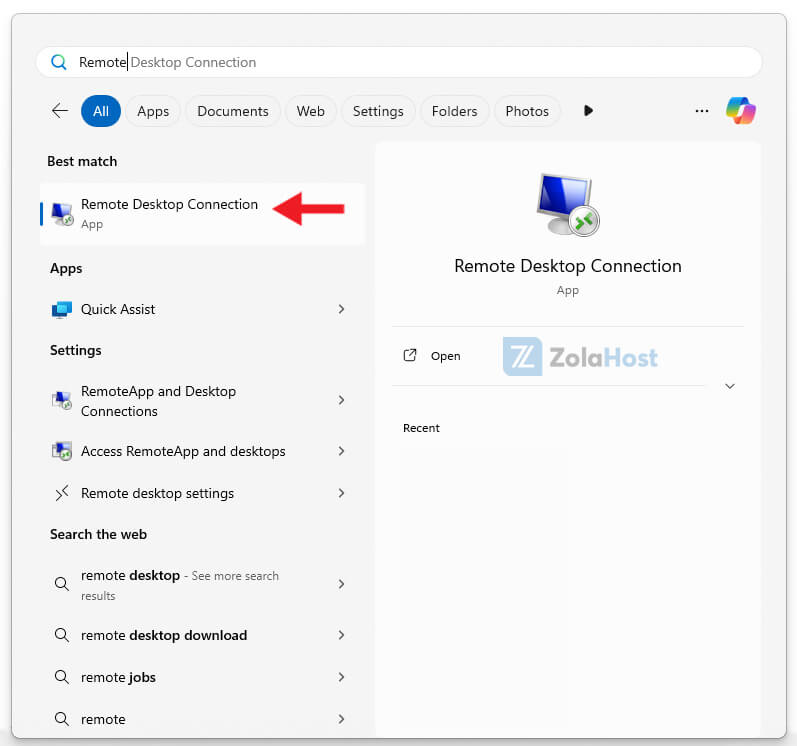
Click the Windows Start Menu and search for Remote Desktop Connection. Open the option shown in the search results.
Step 2:
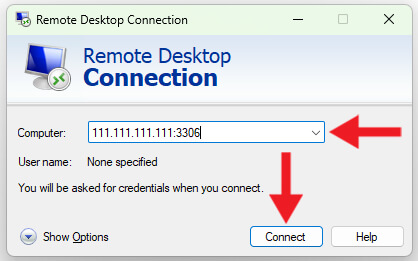
Copy and paste the server IP Address you received in your email.
Step 3:
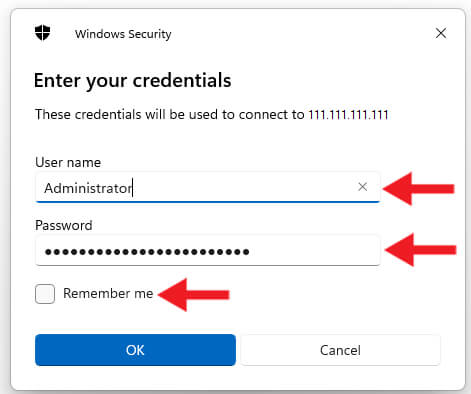
Enter the Username and Password provided in your email, then click OK.
Step 5:
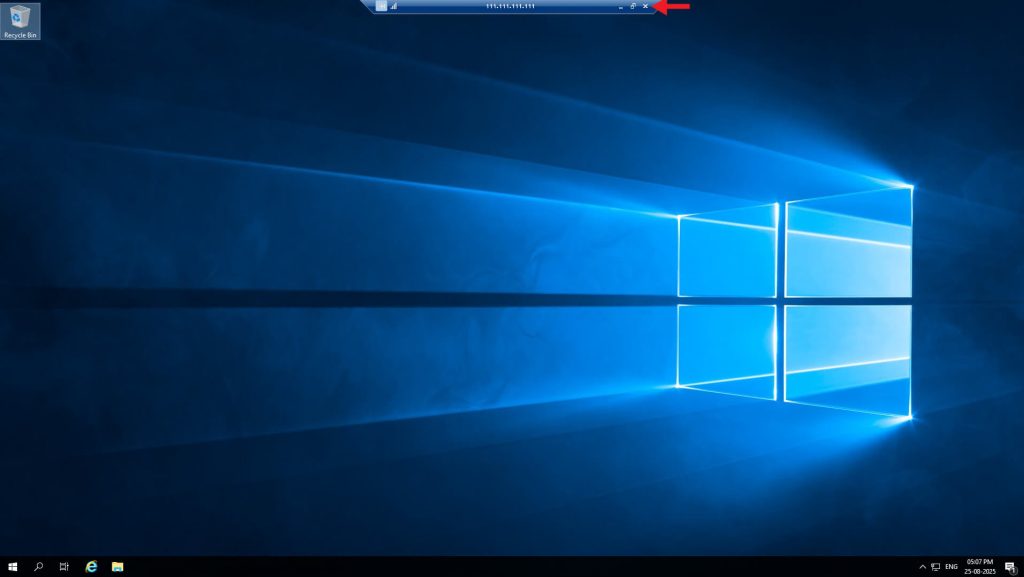
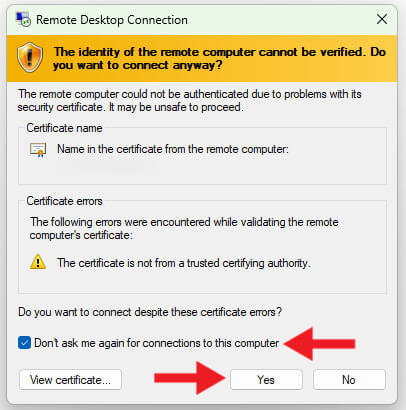
If this window appears, it means you have successfully connected to your Cloud Windows Server. Do not turn off the server. Simply click the X icon to close the window when you’re done.
Step 5:
If this window appears, it means you have successfully connected to your Cloud Windows Server. Do not turn off the server. Simply click the X icon to close the window when you’re done.