How To Create A Database In cPanel?
 MySQL databases are most important part of the dynamic websites. All kinds of data are stored into the database and the data securely delivered to the user from the database. You need to create and configure a database for script installation on your website. Just try this tutorial to create and configure a MySQL database in your cPanel.
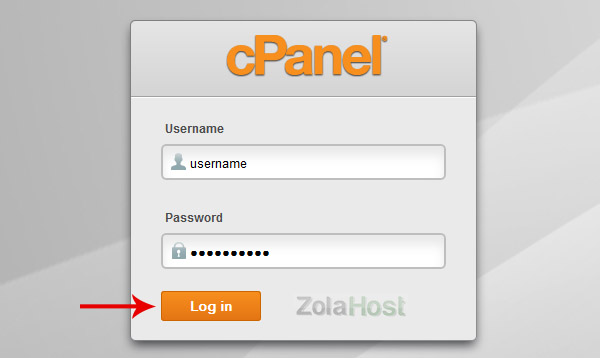
Step 1 : Login to your cPanel account
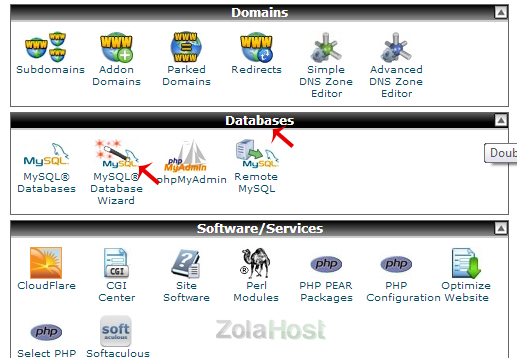
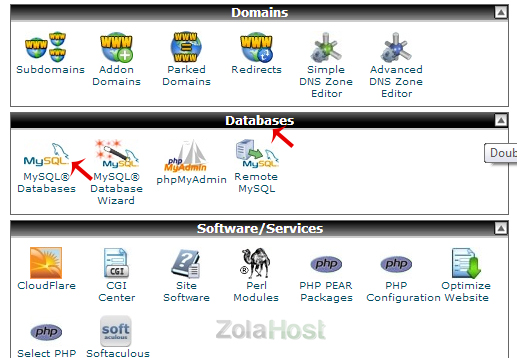
Step 2 : Click “MySQL Database Wizard” available under the “Database” section
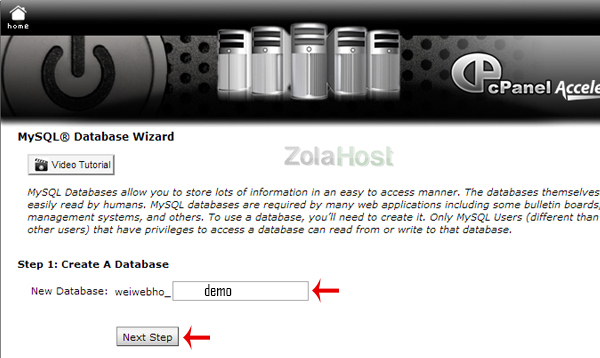
Step 3 : Enter a name for your new database; Then click “Next Step”
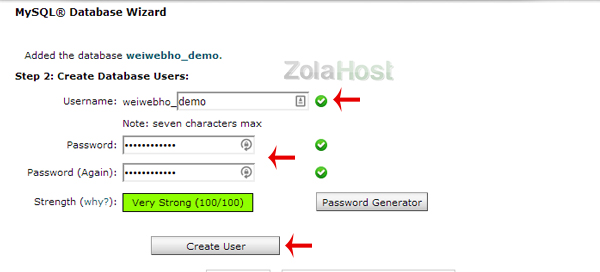
Step 4 : If your database has been created, enter username and password for create a user account for your database.
Step 5 : Click “All Privileges” for provide permissions to the user account that will accessing database.
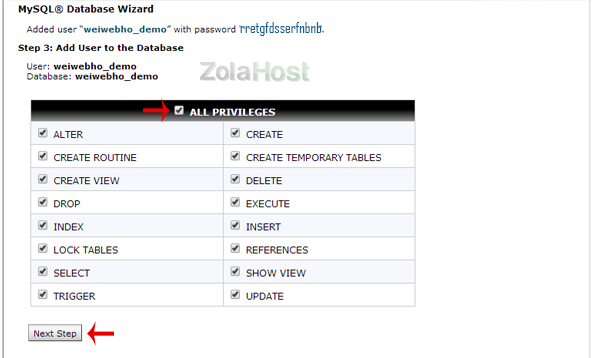
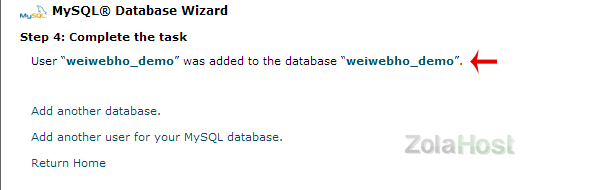
Step 6 : If the task is completed, you have successfully created and configured the database and a user account
Step 7 : Click “MySQL Database” for view and manage the databases & users created in your cPanel.
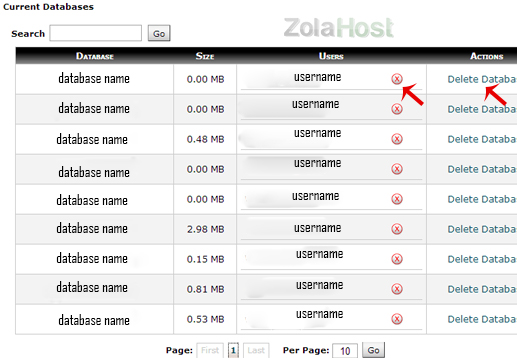
Step 8 : In this page, you can Add/Edit/Delete the databases and users
Step : Click “PHP My Admin” for managing the tables and values of your databases.